
macOS App
Design App Store screenshots in minutes
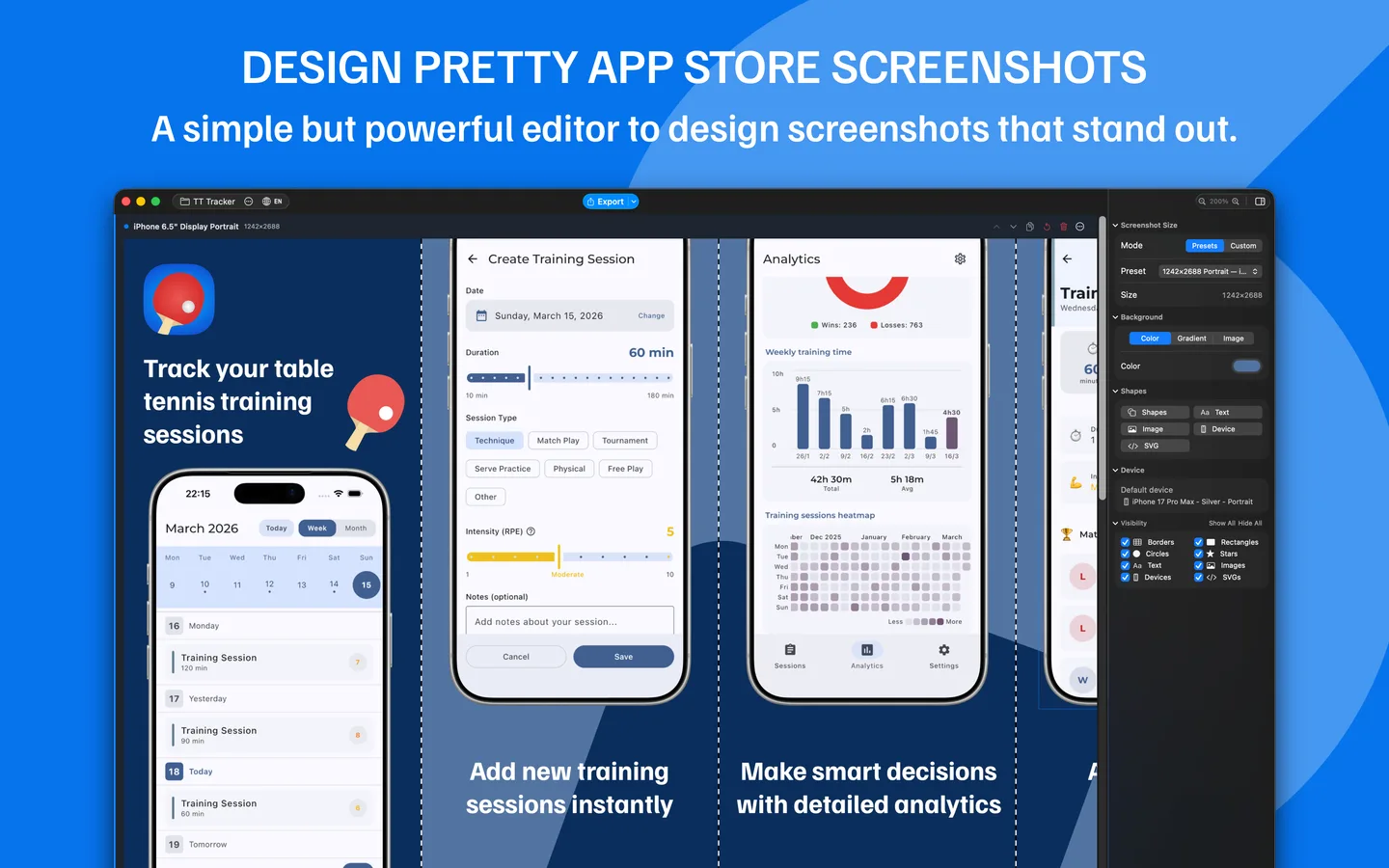
Screenshot Bro is a native macOS app for crafting beautiful App Store screenshots. Device frames, gradients, localization, iCloud sync, and batch export — all in one fast, keyboard-friendly editor.


Category
Developer Tools
Platform
macOS (native)
Built With
Swift & SwiftUI
Localization
30 language presets
Sync
Opt-in iCloud Drive
Export
PNG / JPEG @ 1x–3x
Interface Gallery
A look at the editor, template picker, localization view, and export workflow.
See it in action
Short clips from the editor — import, layers, backgrounds, and frames.
Batch Import
Drag, drop, done.
Drag and drop multiple screenshots at once — Screenshot Bro imports them all and automatically wraps each one in the device frame. No manual placement, no tedious one-by-one workflow.
Shapes & Layers
Build it up, layer by layer.
Add rectangles, circles, stars, text, images, and SVGs — then resize, rotate, and style each one. Set fill colors, gradients, opacity, outlines, and corner radius right from the inspector.
Backgrounds
Make cool backgrounds.
Choose from gradient presets, build your own with the multi-stop editor, or drop in images with fill, fit, stretch, and tile modes. Backgrounds can span across multiple templates in a row for seamless, edge-to-edge designs.
Device Frames
Customize device frames.
Pick from a library of device bezels — iPhone, iPad, MacBook, iMac, and Android phones & tablets. Swap frames, choose body colors, and match your brand without re-importing screenshots.
Built with Modern Tech
A native macOS stack for fast launch, smooth editing, and reliable iCloud sync.
Swift
SwiftUI

macOS

iCloud Drive

Mac App Store
Why developers choose Screenshot Bro
Skip Figma juggling and per-language re-exports. Design one set of templates and ship every screenshot, every locale, every size — with one click.
Multi-template editing
Edit once, update every variant. Change a shape, text, or background and it flows across every screenshot in the project at the same time.
Real device frames
iPhone 17 series, iPad Pro 11" & 13", MacBook, iMac, and Android phone & tablet bezels with configurable body colors and per-row defaults.
Localized export
Export PNG or JPEG at 1x–3x for every locale. Output is auto-organized into folders by language and row, ready for App Store upload.
iCloud sync
Opt-in iCloud Drive sync keeps projects available across all your Macs with last-writer-wins, tombstone-aware conflict resolution.
Native macOS performance
Built with Swift and SwiftUI. No Electron, no browser tab — instant launch, auto-save, and full undo/redo throughout.
Keyboard-first workflow
Nudge, duplicate, cut/copy/paste, z-order, zoom, locale cycling — all from the keyboard. Shift-nudge for 10px jumps, Option-drag to clone.
Have a project in mind? Let's build it together.
We are ready to turn your ideas into reality. Get in touch with us to discuss your project.
Get in Touch